Instagram has expanded its profile customization tools by allowing users to edit how post thumbnails appear on their profile grid. While the feature looks simple, using it incorrectly can actually reduce profile clarity and engagement.
This guide breaks down how Instagram's grid thumbnail editing actually works, then walks through practical best practices and common mistakes, so creators and brands can use it in a smart, effective way instead of just changing visuals for the sake of it.
What Is Instagram Grid Thumbnail Editing?
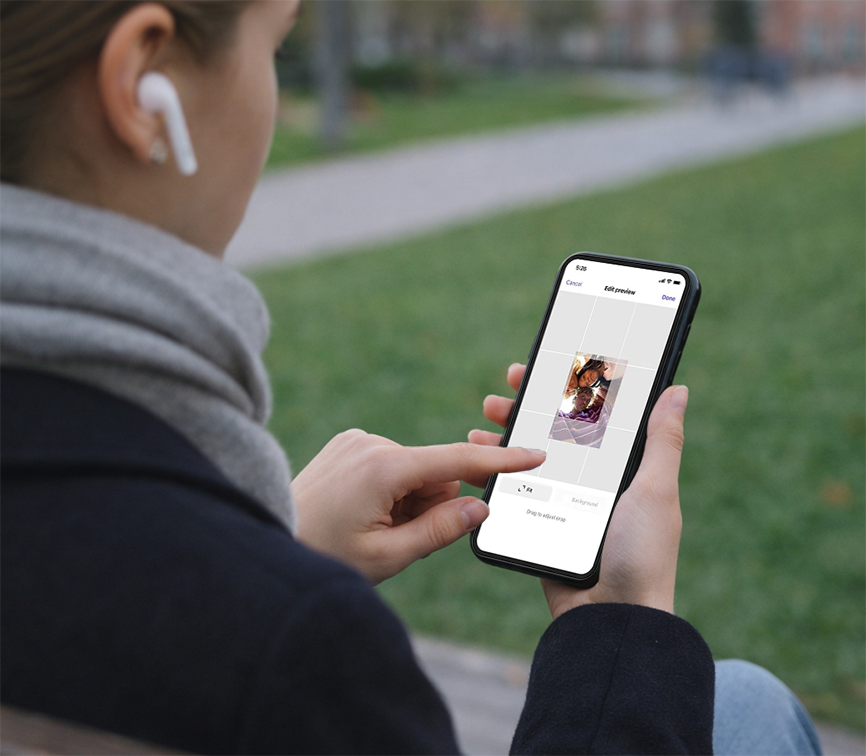
Instagram grid thumbnail editing lets users control the preview image shown on their profile grid without changing the original post content.
With this feature, you can:
Select a specific frame for video or Reel thumbnails
Adjust how images are cropped in the profile grid
Align thumbnails visually across rows and columns
This update complements Instagram's move toward larger thumbnails designed for vertical, full-screen viewing.
How to Edit Instagram Profile Thumbnails (Quick Guide)
Although availability may vary by region and account type, the workflow typically includes:
Open an existing post from your profile
Access post editing or display options
Choose the thumbnail or cover image setting
Reposition or select a new preview frame
Save changes without reposting the content
No engagement data, captions, or comments are affected.
Best Practices for Instagram Grid Thumbnail Editing
1. Design Thumbnails for Grid View First
Most users discover your content by visiting your profile. Thumbnails should be readable and visually clear at small sizes.
Best approach:
Center key visual elements
Avoid edge-heavy compositions
Test thumbnails at phone-grid scale
2. Maintain Visual Consistency Across Rows
A cohesive grid improves brand recall and makes profiles easier to scan.
Best approach:
Use consistent color palettes
Keep typography placement predictable
Avoid mixing drastically different styles in one row
Consistency matters more than creativity here.
3. Optimize Thumbnails for Reels and Vertical Content
Reels often lose clarity when auto-cropped for the grid.
Best approach:
Manually select frames with faces or motion
Avoid empty top and bottom spacing
Ensure subjects remain visible in square previews
4. Use Thumbnails to Signal Content Type
A good grid tells visitors what to expect before they tap.
Best approach:
Tutorials use similar layouts
Product posts follow a repeatable pattern
Educational content uses recognizable visual cues
This reduces friction and increases tap-through.
5. Refresh Old Posts Instead of Reposting
Thumbnail editing lets you modernize your profile without harming performance.
Best approach:
Update thumbnails on evergreen posts
Improve clarity on high-performing content
Align older posts with your current visual style
Common Mistakes to Avoid When Editing Instagram Thumbnails
1. Overdesigning Thumbnails
Too much text or decoration reduces clarity.
Common mistake:
Tiny fonts
Heavy filters
Complex layouts
Remember: thumbnails are previews, not posters.
2. Ignoring Grid Alignment
Each thumbnail affects the surrounding posts.
Common mistake:
Random cropping across rows
Broken visual flow
Misaligned focal points
Always review your grid as a whole, not post by post.
3. Breaking Previously Curated Layouts
Some profiles rely on structured visual storytelling.
Common mistake:
Editing one thumbnail without checking adjacent posts
Accidentally disrupting a themed row or sequence
If your profile uses visual patterns, edit in batches.
4. Misleading Thumbnails
A thumbnail should reflect the content accurately.
Common mistake:
Clickbait visuals
Unrelated frames
Over-promising imagery
This may increase taps short-term but hurts trust and retention.
5. Treating Thumbnail Editing as a One-Time Task
Profiles evolve. Thumbnails should too.
Common mistake:
Never revisiting older content
Ignoring seasonal or branding updates
Regular thumbnail audits help keep profiles fresh.
How Brands and Marketers Should Use This Feature
For brands, grid thumbnail editing functions like homepage optimization.
Recommended workflow:
Define 2–3 core content types
Assign a visual style to each
Maintain consistency across every grid row
This turns your Instagram profile into a structured content library rather than a random feed.
Final Thoughts
Instagram grid thumbnail editing is not just a design feature. It's a profile optimization tool.
Used correctly, it helps:
Improve first impressions
Increase profile-to-post engagement
Strengthen brand recognition
As Instagram continues adding profile customization options, mastering thumbnail strategy now gives creators and brands a durable advantage.