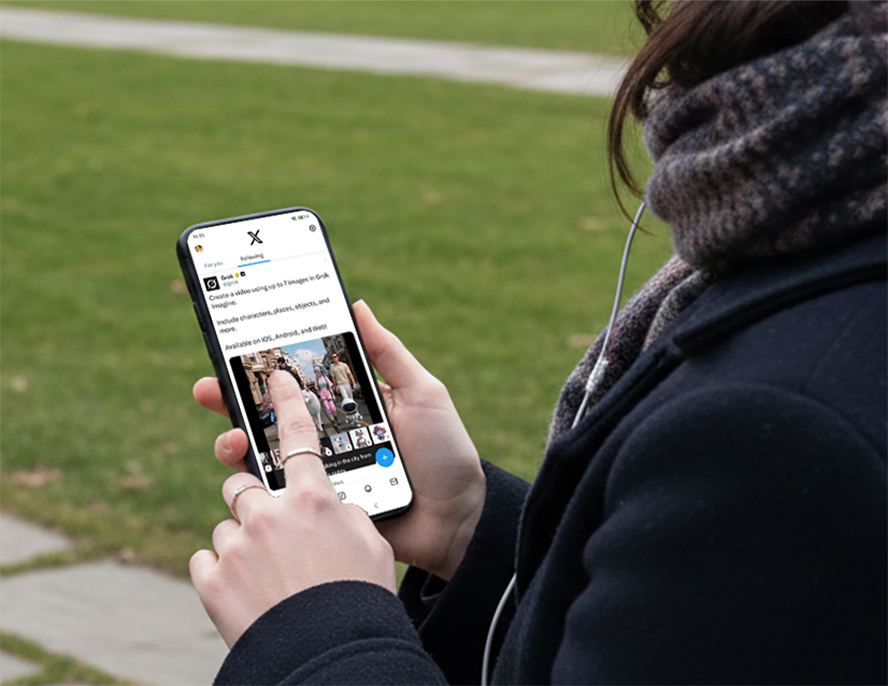
The social media platform X has introduced an upgraded AI video creation feature through its built-in assistant Grok.
With this update, users can now upload up to seven images as references and generate an AI video scene. The system uses those images to maintain consistent characters, objects, and environments throughout the video.
The new AI-generated videos can currently reach up to 30 seconds in length, making them useful for short storytelling, marketing clips, and social media content.
Key Features of Grok's New AI Video Tool
The upgraded system introduces several important improvements:
1. Multiple Image References
Users can upload up to seven still images to guide the AI when generating a video.
2. Longer Video Output
Videos can now be generated up to 30 seconds long, making them more useful for storytelling, content creation, and social media clips.
3. Consistent Characters and Objects
By referencing multiple images, Grok can maintain consistent characters, scenes, or objects throughout the generated video.
4. AI-Generated Visual Elements
Subscribers can also create images using Grok first, then use those images as references to produce fully AI-generated video scenes.
How to Generate AI Videos From Images on X
Follow these steps to create an AI video using Grok.
Step 1: Subscribe to X Premium
The feature is currently available to users with premium subscriptions on X.
Step 2: Open Grok in the X App
Launch the Grok assistant inside the platform.
Step 3: Upload Your Reference Images
Upload up to seven images that represent characters, environments, or objects you want in the video.
Step 4: Enter a Video Prompt
Describe the scene you want the AI to generate.
Example prompt:
"Create a cinematic scene where the character walks through a futuristic city at sunset."
Step 5: Generate the Video
Grok processes the images and prompt to produce a short AI-generated video clip, up to 30 seconds in length.
Why This Feature Matters for Creators
AI video tools are becoming increasingly popular among content creators. The new Grok capability offers several advantages:
Faster content creation
Better character consistency
More control over visual storytelling
Easier production of short social videos
For creators who regularly publish on X, this tool could simplify the process of producing engaging visual content.
High-Quality AI Video Prompt Templates
When generating AI videos with Grok, writing a structured prompt can significantly improve the visual quality of the final video. A good prompt usually includes several elements such as the scene, character actions, camera movement, lighting, and overall style.
Below are several prompt structures that can help creators generate higher-quality AI videos.
1. Cinematic Story Scene Template
This template is ideal for cinematic storytelling or sci-fi style videos. By clearly describing the environment, character actions, and camera movement, the AI can generate a more immersive scene.
Example prompt structure:
Create a cinematic video scene using the uploaded character images. The scene takes place in a futuristic cyberpunk city during sunset. A character walks slowly through neon-lit streets while the camera follows from behind with a smooth tracking shot. Neon reflections appear on the wet ground with soft fog in the air, creating a dramatic atmosphere. The overall visual style should feel cinematic and ultra-detailed, with the final video lasting around 20 seconds.
2. Social Media Content Video Template
This template works well for short social media videos that focus on lifestyle or fast-paced content. The goal is to create a dynamic and visually engaging clip.
Example prompt structure:
Generate a dynamic social media video using the uploaded images. The scene takes place on a busy modern city street where the character explores the environment and interacts with surrounding elements. The camera uses quick transitions and smooth handheld movements to create an energetic feeling. Bright daylight and vibrant colors should dominate the visual style, giving the video the look of a modern social media clip.
3. Product Marketing Video Template
This prompt format is suitable for advertising or product showcase content. By emphasizing camera angles and lighting, the AI can generate visuals that resemble professional marketing videos.
Example prompt structure:
Create a product showcase video using the uploaded images. The video focuses on highlighting the product from different angles inside a minimalist studio environment. The camera performs slow rotating close-ups and detailed macro shots to reveal the product's design. Soft studio lighting and reflective highlights create a clean and professional advertising look.
4. Character Animation Template
This template is useful for animated storytelling, gaming characters, or fantasy-style content.
Example prompt structure:
Generate an animated character video using the uploaded images. The character moves through a magical forest environment, walking, turning, and interacting with the surroundings. The camera moves smoothly to create a cinematic animation style, while glowing light rays and soft magical lighting enhance the fantasy atmosphere. The overall result should resemble a high-quality animated film scene.
Content Rules and AI Safety Guidelines
As AI image and video generation becomes more powerful, platforms are introducing new usage policies.
Elon Musk recently stated that Grok's video generation guidelines will follow a simple rule:
If content is allowed in R-rated movies, it may also be allowed in Grok's AI creations.
However, X has also limited some AI features to paying users to reduce misuse, including the generation of inappropriate or controversial imagery.
Future Plans for Grok AI Video
According to announcements from X leadership, future updates may dramatically expand Grok's capabilities. One potential development includes the ability to generate videos up to 30 minutes long.
If implemented, that would transform Grok from a short-clip generator into a much more powerful AI video production tool.
Final Thoughts
The latest update to Grok on X makes AI video generation more practical by allowing multiple image references and longer clips.
For creators, marketers, and AI enthusiasts, this feature offers a new way to quickly produce engaging video content directly inside the platform.
As AI tools continue to evolve, Grok's growing capabilities could make X an increasingly important hub for AI-driven media creation.