TikTok has become a popular platform for sharing and discovering content from around the world. However, many people are unsure about how to change their region or country settings on the app. In this article, we will guide you through the process of adjusting your TikTok preferences to access content from different regions.
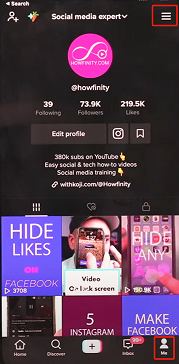
To begin, open the TikTok app and navigate to the "Me" page. Next, tap on the three lines in the top right corner to access the settings page. Once there, you will find an option called "Content Preferences."
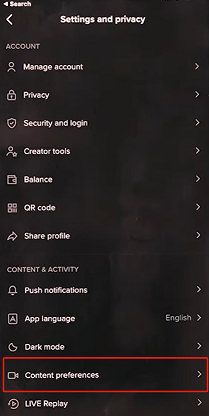
Within the Content Preferences section, you can add languages that you are interested in. By adding more languages, TikTok will show you content from those regions. It's important to note that the available language options may vary depending on your location.
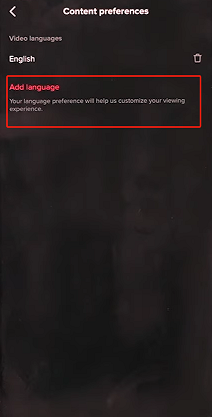
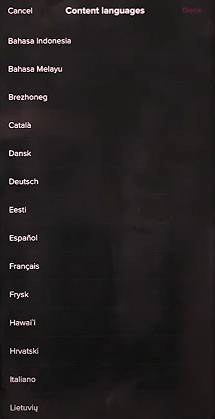
To add a language, simply tap on the plus icon and select the desired language from the list. You can add multiple languages to expand your content options.
One common misconception is that changing the app language will affect your content preferences. This is not true. The app language setting only changes the language within the app interface and does not impact the content you see. Therefore, it is recommended to leave the app language as your native language.
It's important to understand that changing your content preferences will not guarantee that your own content will be shown in different regions. The TikTok algorithm determines which content is displayed to users, and this setting only affects the content you see on your homepage or "For You" page.
By following these steps, you can customize your TikTok experience and explore content from various regions.